Nitxo Trail
The work notebook for Windows: notes, clipboard history and screen captures in one place, each remembering the PDF, workbook, web page or window it came from. Search finds it again and one click takes you back to the source. Everything stays on your PC.
Already have a licence? instead of starting a new one.
Try free, then buy when you're ready
🔒 Secure checkout · Instant delivery
You copied that number from somewhere. Where? A bid day is forty tabs, a dozen PDFs, three workbooks and a notepad full of pasted lines. Nitxo Trail is the notepad that remembers: every note, every copy and every screen capture keeps the PDF, the workbook and range, the web page or the window it came from. Search finds it again; one click takes you back.
A notepad that pastes clean
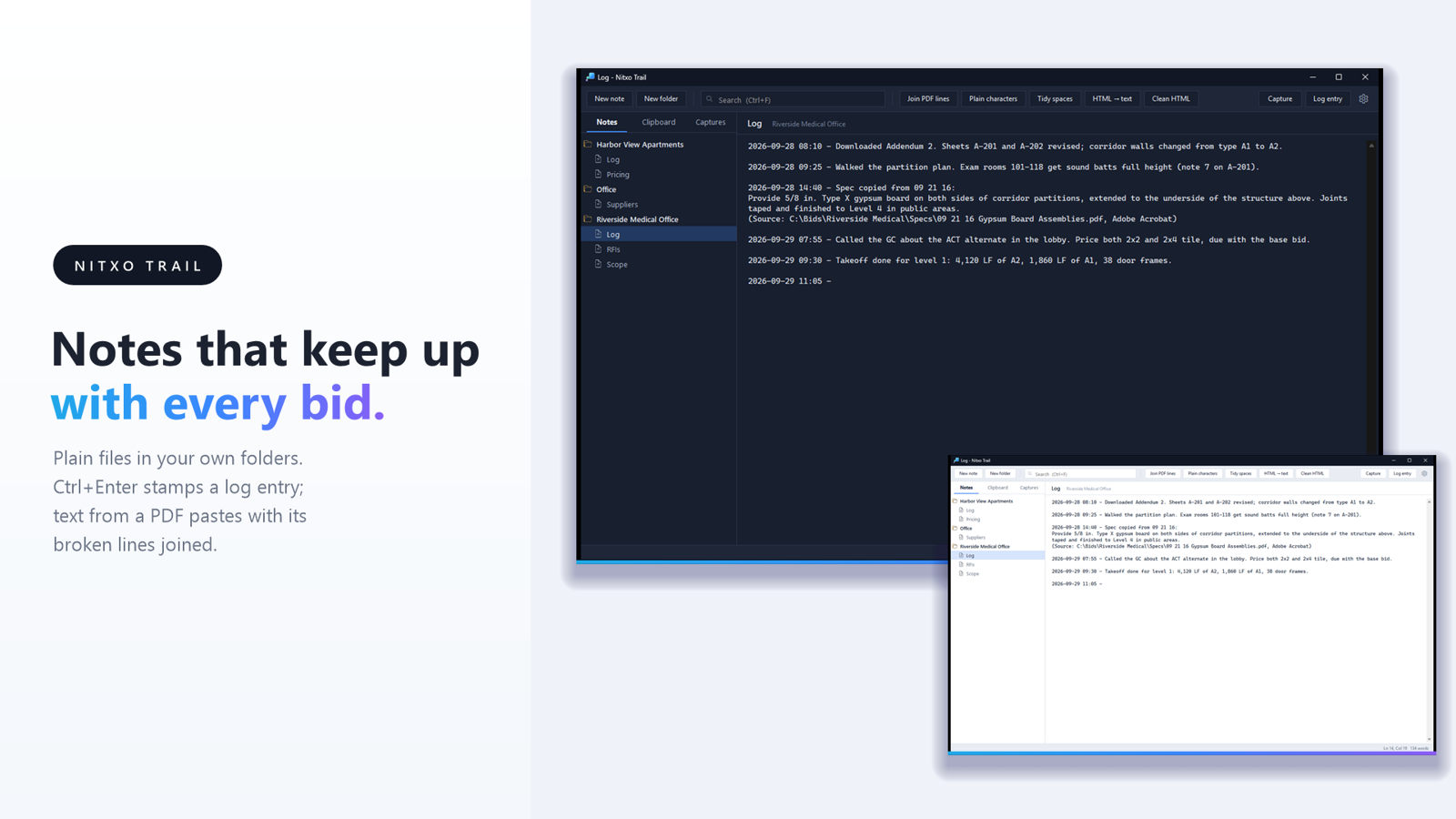
Notes are plain .md and .txt files in your own folders, one folder per project, saved as you type; nothing is locked in. Ctrl+Enter starts a log entry stamped with the date and time. Text from a PDF pastes with its broken lines joined and split words rejoined; curly quotes, odd dashes and web or Word markup clean up in one click.
A clipboard history that knows its sources
Every copy is kept with the program, the window, the file, the web page, or for Excel the workbook, sheet and range. Open source takes you straight back: the page opens at the copied words, the workbook at the copied range. Ctrl+Alt+V opens your recent copies at the cursor in any program; type to find one, Enter pastes it.
Captures you can search
Ctrl+Alt+S takes part of the screen or a whole window, together with where it was taken. The text in it is read on your PC, so a search for "Type X" finds the drawing it was on. Mark a capture up before you send it (arrows, boxes, highlights, blur) or drop it into a note, where it is kept as a normal PNG beside the note.
Yours, on this PC
Nothing leaves your computer. The history and the captures are encrypted with your Windows account, copies that password managers mark as private are never kept, and you can name programs whose copies are never kept. Text in pictures is read by Windows itself, offline.
Windows 10 (version 2004 or later) or Windows 11, 64-bit. Every feature is free for 30 days, no card needed; after the trial your notes stay readable and a key unlocks the rest.
- Notes are plain files in your own folders, one folder per project, saved as you type
- Ctrl+Enter starts a log entry stamped with the date and time
- Text copied from a PDF pastes with its broken lines joined and split words rejoined; quotes, dashes and web or Word HTML clean up in one click
- The clipboard history keeps every copy with its source: the program, the file, the web page, and for Excel the workbook, sheet and range
- Open source goes back to the page at the copied words, or opens the workbook at the copied range
- Ctrl+Alt+S captures part of the screen or a window with where it was taken; the text in it is read on your PC so search finds it
- Mark up a capture with arrows, boxes, highlights and blur, then paste it or put it in a note
- Ctrl+Alt+V opens your recent copies at the cursor in any program and pastes the one you pick
- Ctrl+Alt+N adds a quick note to your log from anywhere
- One search box for notes, copies and captures
- Choose your own keys; the right-click menu, triple-click and the note margin select whole lines
- The history is encrypted with your Windows account; copies password managers mark as private are never kept
- Dark and light themes, a tray icon, and Start with Windows
- 30-day free trial with every feature; after it, notes stay readable and a key unlocks the rest