Verso PDF Toolkit
Verso PDF Toolkit is a comprehensive software solution for managing PDF documents. It allows users to unlock, resize, edit revisions, remove layers, compress, merge, and split PDFs efficiently, streamlining document workflows and enhancing productivity.
Verso PDF Toolkit in three minutes.5 screenshotsMore videos on versosuite.com
Already have a licence? instead of starting a new one.
🔒 Secure checkout · Instant delivery
Verso PDF Toolkit is a professional Windows desktop app for the work most PDF tools won't touch - locked drawings, mismatched revisions, oversized blueprint sets, and folders full of files that all need the same fix.
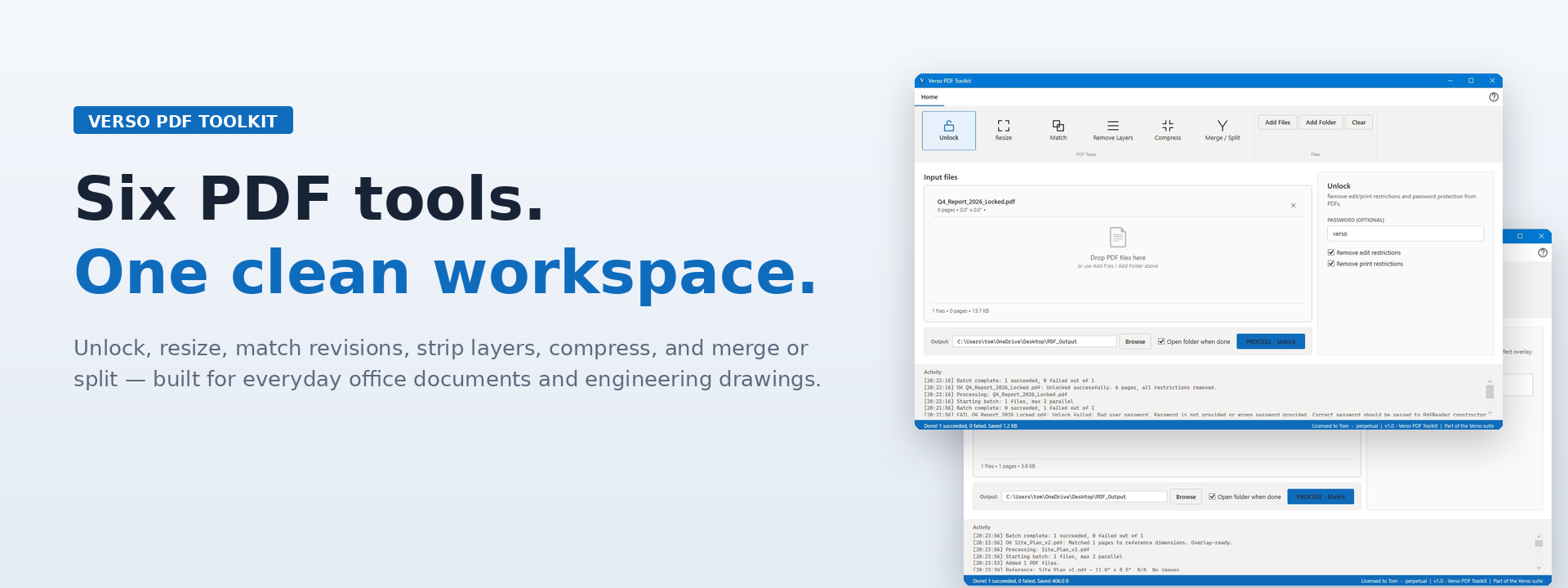
Built on the same iText engine as enterprise PDF software, with a familiar Office 365 ribbon interface that puts every tool one click away. Drop in a folder of PDFs, pick a tool, click Process. That's the workflow.
Six tools, one window
Unlock locked PDFs to remove edit and print restrictions. Resize to standard architectural sizes (ARCH D, ARCH E), scale percentages, or custom dimensions. Match revision dimensions to an original reference for perfect overlay alignment. Remove OCG layers, annotations, and metadata. Compress with three quality presets. Merge multiple PDFs into one, split into pages, or split by custom ranges.
Built for batch work
Drop a folder of 1,000-page blueprint sets and walk away. Verso PDF Toolkit handles each file asynchronously, keeps the UI responsive, and writes a running activity log so you can see exactly what was done. No watermarks. No file count limits. No subscription.
One-time purchase, lifetime use
$18, one purchase, one Windows machine. Future minor updates included. Part of the Verso suite - designed to feel like the office software you already use.
- Files locked with AES-256, the current standard, now unlock
- Remove layers cuts a ticked layer out of every page and out of the layer list, instead of hiding it
- The layers of the loaded files are listed as soon as they are in; no Scan button
- Each row says what the file is, locked, needing a password, layered or annotated, and after a run what happened to it
- Clean and Compress work on a print-restricted file without a password
- A password typed for one file no longer stops the other files in the batch
- Resize, Scale and Match keep a rotated sheet rotated
- Compress leaves image masks and fax images alone and never returns a bigger file iText7 replaced by PDFsharp
- Settings, update check and crash log shared with the rest of the suite
- Compression now detects repeated images and compresses them once instead of per copy - a large saving on plan sets where the same logo or detail appears on every sheet
- Transparent images are no longer flattened during compression, which removes the halos and dirty edges that could appear around cut-out artwork
- Compression never returns a file larger than the original - if a PDF is already optimized, the original is kept and the result says so
- Smaller output on documents with repeated structure, from improved object reuse when writing the file
- Compression results now report how many repeated images were reused
- New Verso PDF Toolkit application icon, matching the rest of the Verso suite
- The application icon now appears in the title bar and taskbar
- Ribbon icons updated to the Verso blue used across the suite